Bring your assets together
Collect references, organize product images and videos, and build your own creative library.
Your next great idea starts here.
Organize assets, explore advertising with AI, and create on an infinite canvas.
Spend less time switching tools. More time creating.
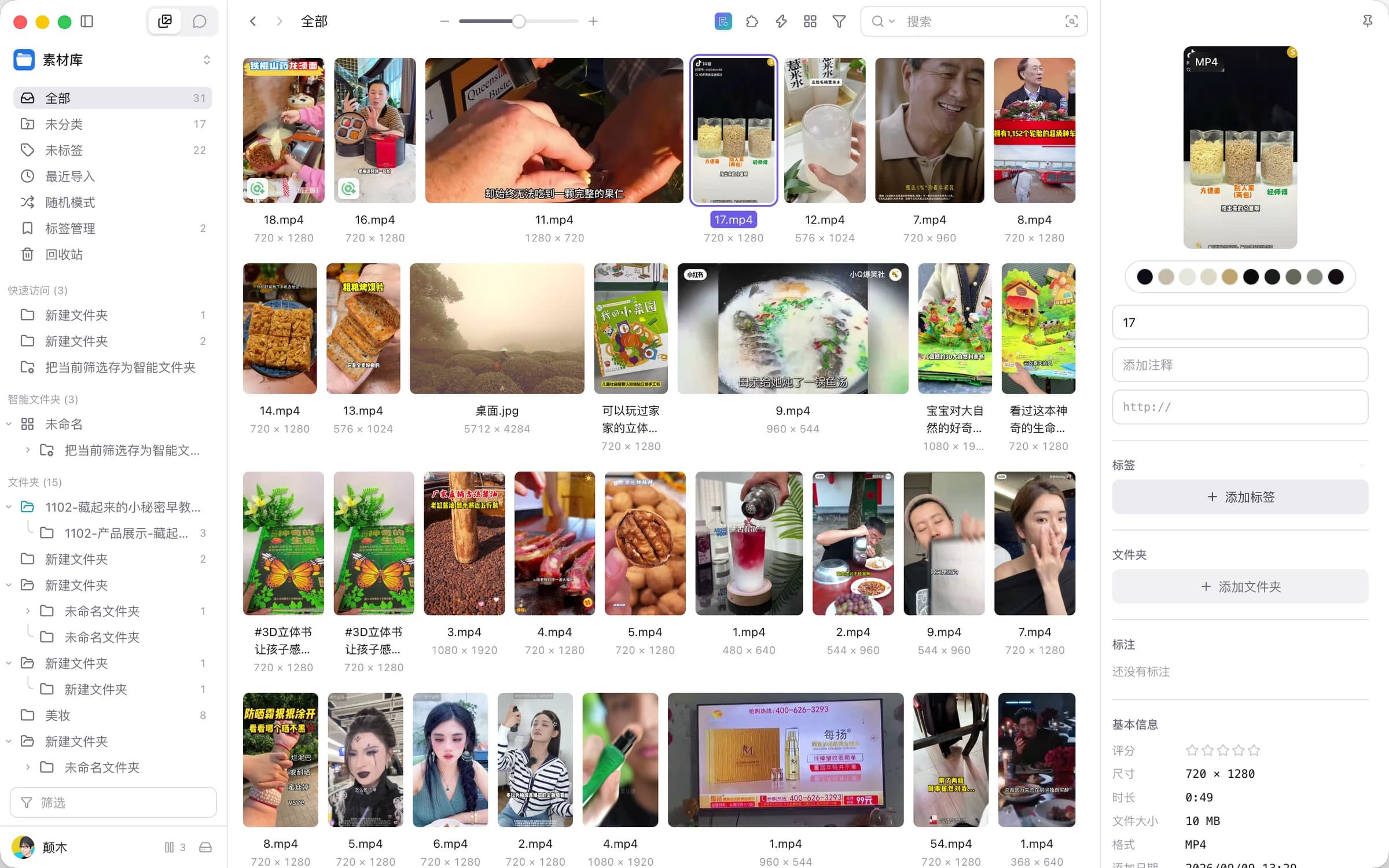
Keep every great asset within reach.
Explore assetsOne workspace for your assets, AI assistant, and Infinite Canvas.
Every step starts with the content you already have.
Collect. Organize. Find.
Keep great assets ready for your next creation.
From asset analysis to campaign ideas.
Think through your next move with AI.
Connect text, images, video, and audio.
Bring ideas to life on one canvas.
Asset Management
Bring scattered images, videos, and inspiration into one library. Organize with folders and tags, find what you need with search, and put every discovery to work in your next creation.
Start organizing your assets
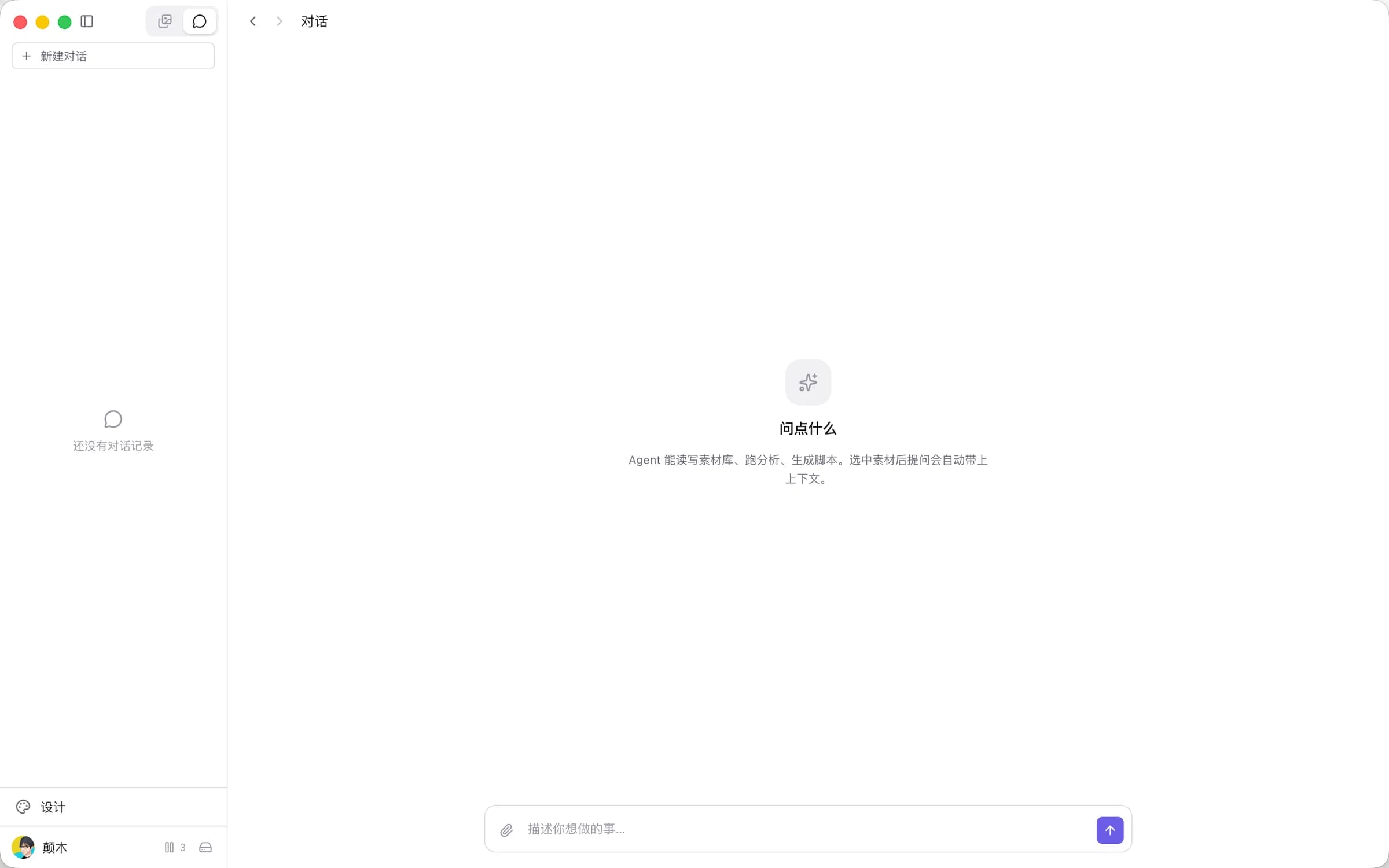
Analyze these assets and find
ideas for my next campaign.
Smart Advertising
Start with your assets and campaign goals. Discuss content, analysis, and creative directions with your assistant. Bring context into the conversation, and move naturally from insights to scripts and production.
Work with your AI assistantInfinite Canvas
Start with a sentence, an image, or a video.
Connect assets and generation nodes. Arrange them freely, and watch your idea take shape.
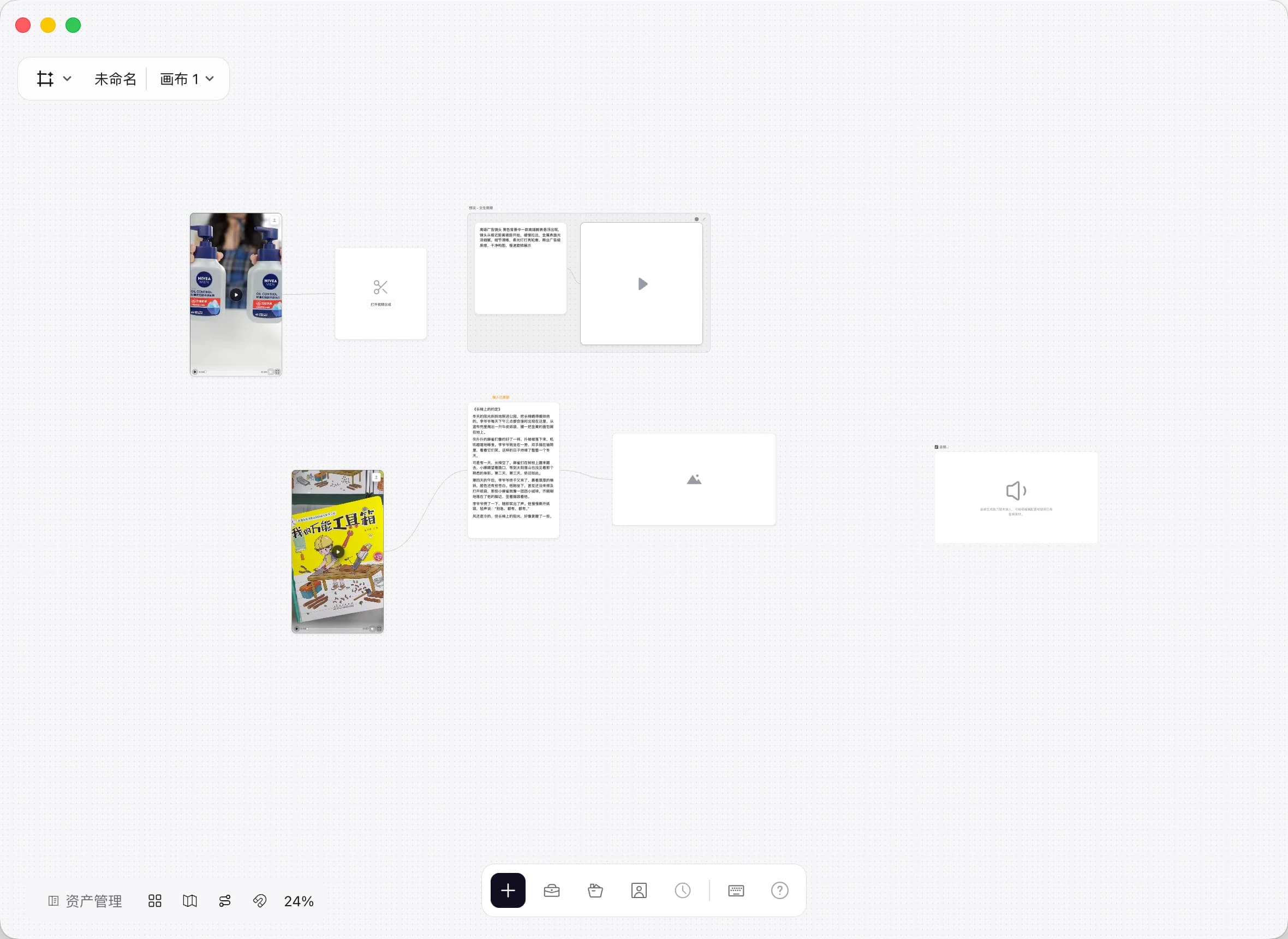
Collect references, organize product images and videos, and build your own creative library.
Start a conversation with your assets and goals. Explore ideas, analyze content, and shape your creative brief.
Connect scripts and assets, arrange generation nodes, and explore more possibilities.
CbiWork is a desktop tool for asset management, smart advertising, and infinite canvas creation. Organize images and videos, collaborate with an AI assistant, and build your creative workflow on a canvas.
Select Get started with CbiWork and sign in with your phone number. A new account is created if needed. If the app is already installed, select Open desktop app to sign in through your browser and return to CbiWork.
The asset library, AI assistant, and canvas are all in CbiWork. Organize information, discuss ideas, and create with the same assets. Use the three product tabs above to preview each interface.
You can configure supported model providers with your own credentials in the desktop app. Available models, input types, and generation capabilities depend on the app and your provider.
Asset Management · Smart Advertising · Infinite Canvas